




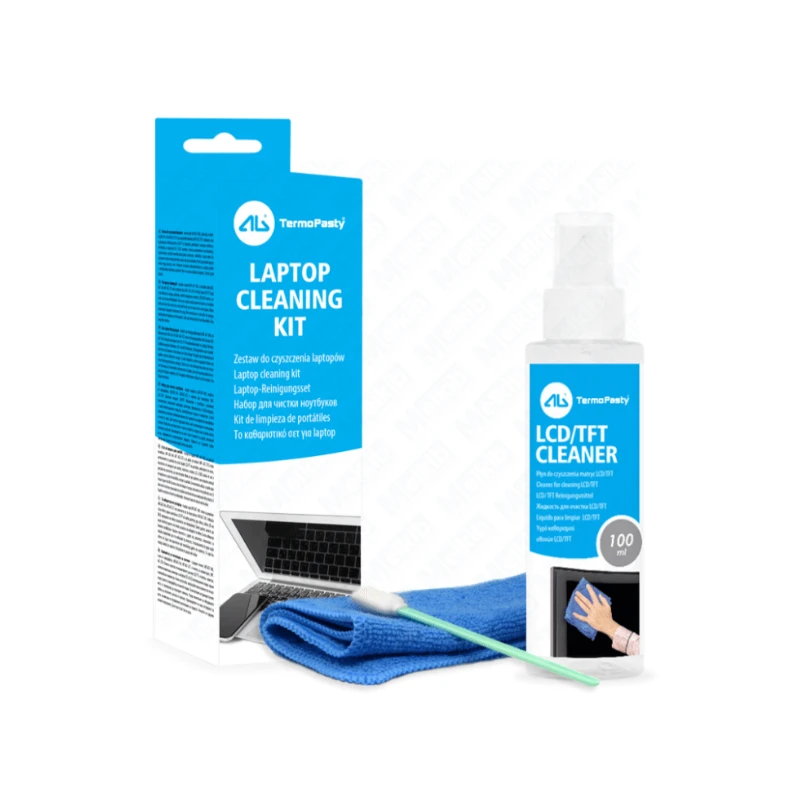
Laptop cleaning kit 100ml + cloth + keyboard stick, effective cleaning

Product code: AGT-183
Leave feedback on the product

Shipping cost for the selected product
The shipping cost applies to this product (in the selected variant - if applicable). It may change after adding other products to the cart.
Related products





Secure purchase guarantee



Opis produktu
The laptop cleaning kit is a comprehensive cleaning tool for your electronic equipment. It consists of a liquid for cleaning LCD/TFT displays with a capacity of 100 ml, a microfiber cloth and a practical keyboard stick. This set is an essential tool for the care of various devices with displays, such as laptops, palmtops or satellite navigations. The cleaning liquid effectively removes all types of dirt while protecting against dust accumulation. Additionally, the included microfiber cloth measuring 30x30 cm ensures streak-free cleaning, leaving no traces. The kit also includes a stick that is perfect for cleaning hard-to-reach places on your keyboard, helping you remove food particles or other debris with ease. By using this set regularly, we extend the life and improve the performance of our devices.
Properties:
- LCD/TFT liquid (100 ml): effectively removes all types of dirt and protects against dust.
- Microfiber cloth (30x30 cm): ensures streak-free cleaning, leaving no traces on the surface.
- Keyboard stick: allows you to easily reach hard-to-reach places, helpful in removing food remains or other dirt from the keyboard.
- Versatile use: ideal for cleaning displays on laptops, palmtops, satellite navigations and other monitors.
- Preventive action: the liquid not only cleans, but also protects the screen against re-deposition of dust.
- Safety and protection: the materials and components of the kit are safe for delicate electronics surfaces.
Application:
- Laptops: protection and care of the screen and keyboard, ensuring long-term durability.
- Palmtops: keeping the display and surface of the device clean.
- Satellite navigation: cleanliness and clarity of the display, which is crucial for the readability of maps and other data.
- Monitors: Clean screens regularly to maintain optimal image quality.
- Office equipment: can be used to clean other surfaces in the office space, such as computer keyboards or TVs.
How to use:
- Turn off the device - to prevent possible damage, make sure the device is turned off before cleaning.
- Use of liquid - apply a small amount of liquid to a microfiber cloth, avoiding direct contact of the liquid with the surface of the device.
- Screen cleaning - Gently wipe the screen with a cloth, using circular or straight motions to remove dirt and prevent streaks.
- Keyboard cleaning: Using a keyboard stick, gently clean the spaces between the keys, removing dirt and debris.
- Checking: When finished, check that all surfaces are clean and free of any marks or smudges.
- Turning on the device: after cleaning and ensuring that all surfaces are dry, turn on the device.
Parameters:
|
Product technical data |
|
|---|---|
|
Product form |
liquid |
|
State of matter |
liquid |
|
Color |
transparent |
|
Smell |
odorless |
|
Density at 20°C |
0.98+/-0.02 g/cm3 |
|
pH |
6.00+/-2.00 |
|
Solubility in water |
dissolves |
Product safety
Manufacturer
AG TermoPasty
ul. Kolejowa 33E
18-218 Sokoły, Poland
Responsible person in the EU
AG TermoPasty
ul. Kolejowa 33E
18-218 Sokoły, Poland
Reviews
If you've added a review and it doesn't appear on the list, it may be pending moderation.
Leave feedback on the product
